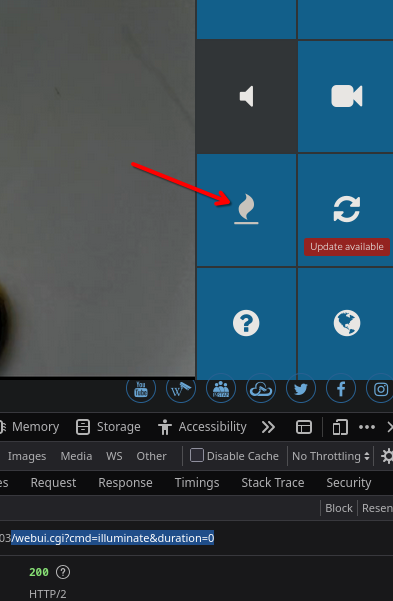
the spotlight can be activated through the app and the webUI - maybe also through Homekit. The arrow below shows the spotlight button in the tiles menu of the webUI (if this button does not show click on ? to add it):
The spotlight can now be activated by alarm for a long time (3600s). Maybe it is still on from an alert that happened a while ago? The interval can be set with the lightmode and pirnightmode commands:
param.cgi?cmd=getlightmode
param.cgi?cmd=getpirnightmode
There are also commands to set a light sensor threshold and a time schedule for the switch into „nightmode“ - could it be that the camera remains in that mode all day?
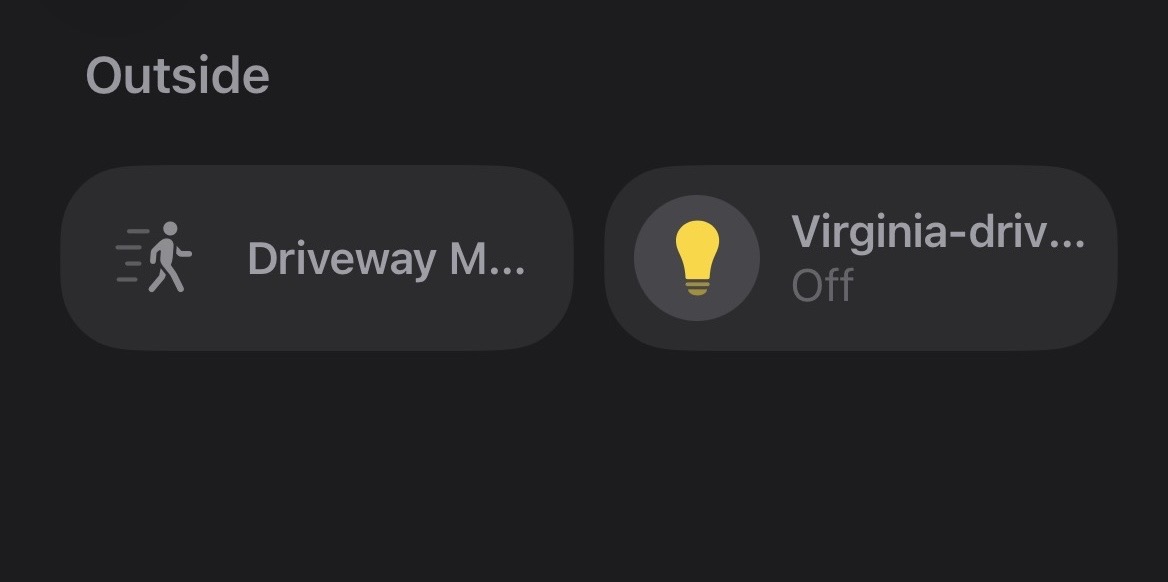
The problem here seems to be that you also added the camera to HomeKit.
Check within the Home App from Apple if there the White light has been turned on (which i assume).
You can also check the automations within the Home App since i guess that there is an automation that turns the white light on during an alarm event or if someone comes home or leaves home. Probably best to remove this automation.
Let me know if that was the reason and in case there is still any issues.
Answering my own question: it was the HOMEKIT, another device was added which to HomeKit looked like a regular light - but in fact was controlling the floodlight.
Thank you for everybody who helped - and valuable info on API!